This is Part 8 of a 10 part Natural Light Photography Series.

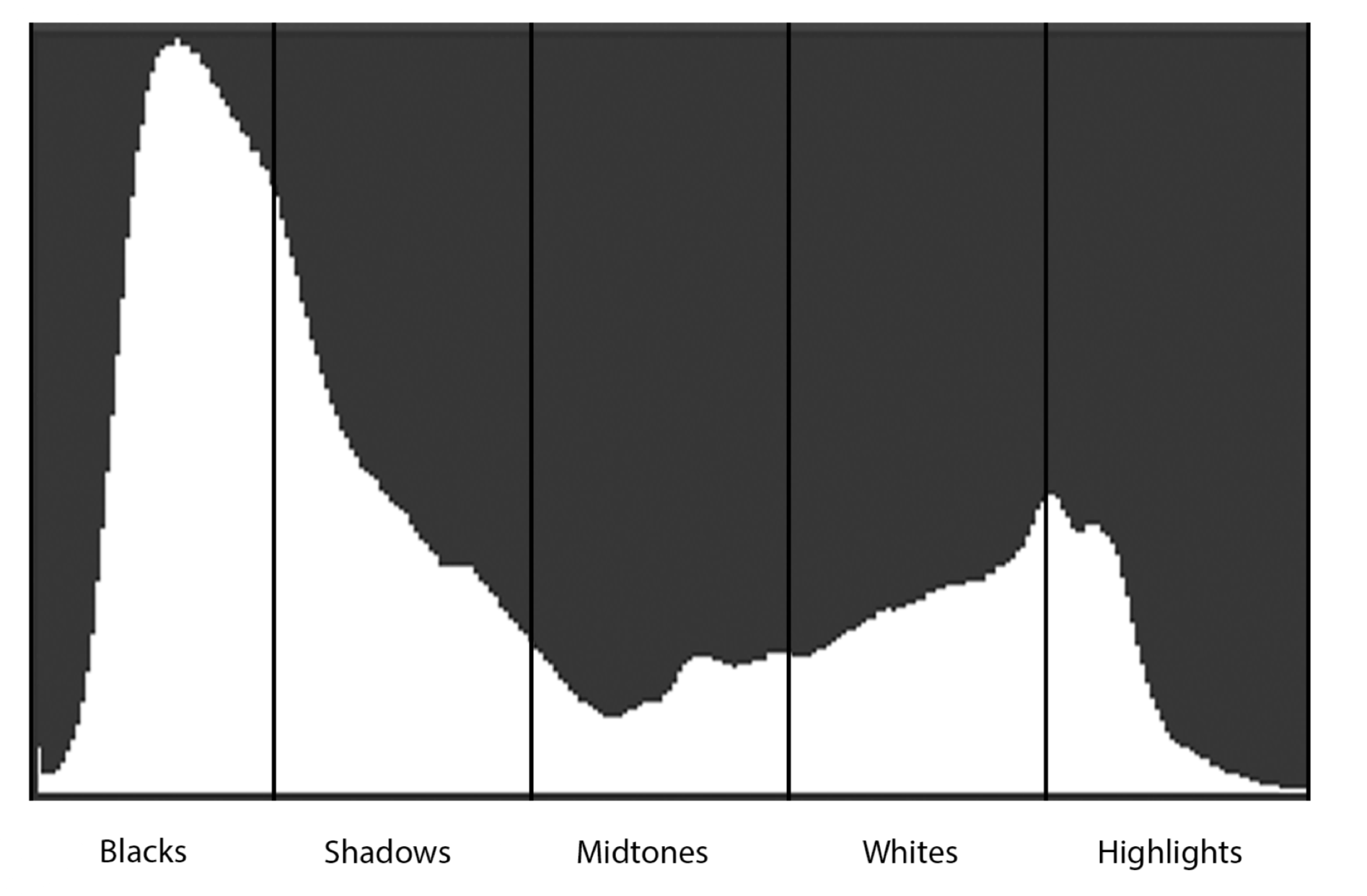
The histogram is a graph on your camera that visually represents the tones in your image.
When you’re underwater, exposure can be tricky. Light behaves unpredictably, and the colors you see in the moment might not translate well into your photos. Enter the histogram, a tool that provides instant feedback on your image’s exposure and tonal balance. Mastering the histogram will not only improve your underwater photography but also save you from the heartbreak of discovering poorly exposed images after the dive.
What is a Histogram?

Photographing alligators in Florida presented a unique challenge due to the dark, shadowy areas of their habitat. The limited light resulted in many underexposed images, as reflected in my histogram here. 1/250, f/7.1, ISO 3200
A histogram is a graph on your camera that visually represents the tones in your image:
Left Side: Represents shadows and dark tones.
Right Side: Represents highlights and bright tones.
Middle: Represents midtones and everything in between.
By analyzing your histogram, you can assess whether your image is underexposed (too dark), overexposed (too bright), or perfectly balanced.
Why You Need the Histogram
While your camera’s LCD screen can give you a quick preview of your image, it’s not always accurate. Bright sunlight or underwater glare can make the screen misleading. The histogram, however, provides an objective view of your exposure, allowing you to adjust settings on the spot and avoid guesswork.
How to Use the Histogram Underwater
Check for Clipping:
If the graph is pushed all the way to the left, you’re losing detail in the shadows.
If it’s pushed all the way to the right, your highlights are blown out and lack detail.
Aim for Balance:
A well exposed image will have tones distributed across the histogram, with no harsh spikes at either end. Keep in mind that the ideal histogram varies depending on your subject and lighting conditions.

We had heavy cloud coverage that caused the light to scatter unpredictably. I photographed this sperm whale under these conditions, slightly underexposed but still well balanced. The image had some highlights in the water from the sun breaking through the clouds. 1/320, f/9, ISO 320
4. Adjust in Real-Time:
If your histogram shows overexposure, increase your shutter speed, narrow your aperture, or lower your ISO.
For underexposure, do the opposite: decrease shutter speed, open your aperture, or raise your ISO.

Why the Histogram is Critical Underwater
Underwater conditions are dynamic, light can change in an instant due to depth, water clarity, or cloud cover. By checking your histogram regularly during a dive, you can adapt to these changes and ensure your images are consistently well-exposed.
Tips for Mastering the Histogram

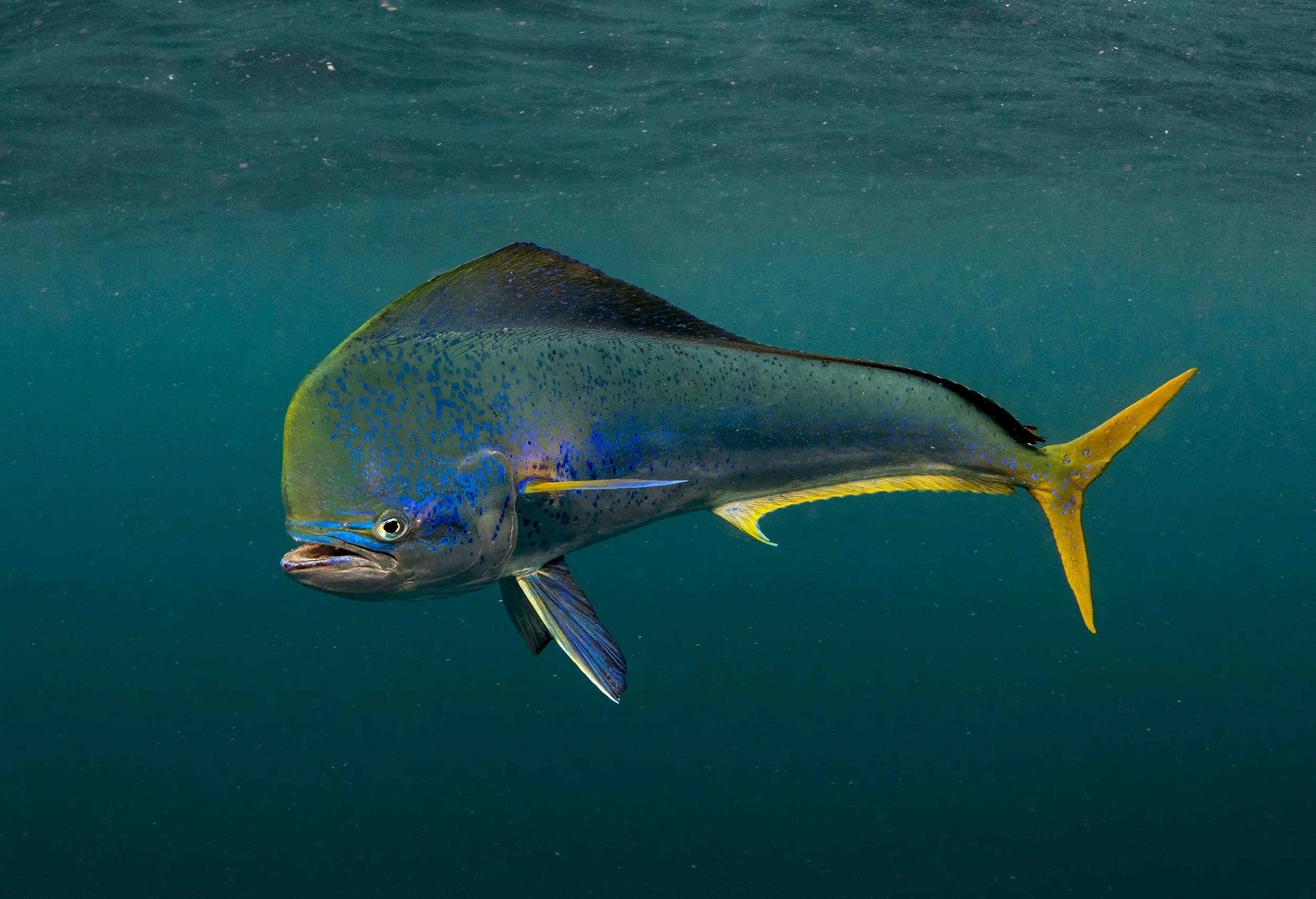
At 30 feet deep with the great hammerheads off Bimini, the lighting was ideal, and my settings were dialed in perfectly. As a result, we captured a well-exposed image, which is reflected in my histogram. 1/320, f/10, ISO 400.
Practice on Land: Familiarize yourself with the histogram before heading underwater. Practice reading it in different lighting conditions to understand how your adjustments affect the graph.
Check Exposure Frequently: Make a habit of checking your histogram after each major adjustment to your camera settings.
Use RAW Format: Even with the best histogram practices, minor tweaks may be needed in post processing. Shooting in RAW gives you more flexibility to adjust exposure and recover details.
Beyond Exposure: Evaluating Tonal Range
The histogram isn’t just about avoiding over, or underexposure, it’s also a tool for evaluating tonal range. A balanced histogram often results in an image with more depth and detail, capturing the full spectrum of light and shadow that makes your underwater subjects come alive.
Coming Next
In the next blog, we’ll discuss post-processing, a vital step in bringing your underwater images to life. Learn how to enhance colors, recover details, and make your photos truly pop. Stay tuned!
THIS IS PART 8 OF A 10 PART SERIES.
PART ONE - Is Natural Light Photography Photography For You?
PART TWO - The Euphotic Zone! Your best friend.
PART THREE - Custom White Balance, Natural Lights Secret Weapon.
PART FOUR - Shutter Speed: Freezing Moments Underwater.
PART FIVE - Aperture: Achieving Sharpness and Depth Underwater
PART SIX - ISO: Balancing Light Sensitivity Underwater
PART SEVEN - Focus Points: Keeping Your Subject Sharp Underwater
PART EIGHT - The Histogram: Your Underwater Photography Lifeline
PART NINE - Post-Processing: Bringing Your Underwater Images to Life.
PART TEN - The Freedom of Natural Light Photography: A Connection to the Wild